

For more than five decades, scientists have strived to predict Earth’s future climate. Progress has been remarkable, yet the task remains extremely complex. As global warming accelerates, our ability to forecast precise, localized impacts continues to be limited, posing significant challenges for scientists.
Current climate models are highly effective at capturing broad trends, such as the global rise in temperatures or the melting of polar ice sheets. They have proven to be invaluable tools for understanding the general trajectory of climate change and its potential consequences.
However, as new reports suggest, when it comes to local-scale impacts—such as the likelihood of heatwaves in a specific city or the risk of drought in a particular region—these models struggle to provide reliable predictions regarding Earth’s future climate.
This discrepancy arises because global climate systems are incredibly complex. The interactions between clouds, oceans, and land formations occur at such small scales that even the most advanced models cannot fully resolve them.
A striking example of this limitation is the emergence of “critical points” in various parts of the world: regions experiencing extreme temperatures far exceeding those predicted by models. Scientists have also observed significant discrepancies between model-based results and real-world observations, such as the inexplicable temperature spikes recorded in 2023.
These gaps highlight the challenges involved in modeling a system as complex as Earth’s climate. The primary difficulty lies in the level of detail required. Making accurate local predictions demands models that operate at smaller scales, which in turn requires far greater computational power than is currently available. If we wish to predict Earth’s future climate, we must find a way to overcome these obstacles.
Despite these challenges, climate models remain essential tools for understanding and mitigating future risks. Scientists are constantly working to refine them, incorporating new data on factors such as carbon absorption by forests and the interactions between ice sheets and the oceans.
Predicting Earth’s future climate is a race against time. As climate change accelerates, improving these models becomes crucial for guiding government decision-making—especially if we aspire to bring climate change under control.
5 Science Fiction Films That (Surprisingly) Are Based on True Events

The appeal of science fiction often lies in its otherworldly civilizations and stories. *Star Wars* and *Star Trek* transport us to fictional worlds, while others, such as *Back to the Future*, use a contemporary setting infused with science-fiction technology that we could only dream of. Generally, when watching such a film, one does not expect—or particularly desire—to see the words “Based on a true story” appear before the opening sequence.
Yet, even when that label doesn’t appear, the film may still be inspired by something from our own reality. In science fiction, this isn’t always obvious, as the genre frequently features futuristic technologies and settings; nevertheless, the inspiration is there. The work of real-life scientists, UFO sightings, and even documented government operations have all served as inspiration for this genre.
You may have heard of some of these films, though they likely aren’t the first ones that come to mind when you think of science fiction—unless, perhaps, you happen to know a great deal about the history of neuroscience or are familiar with magazine advertisements from the 1990s. While their sources of inspiration vary, all of these science-fiction films are rooted in a true story—though it might sometimes take a moment to realize it.
Altered States
The science-fiction, surrealist horror film *Altered States* follows Edward Jessup (William Hurt), a Harvard scientist and professor, and his research into human consciousness. With his personal life in shambles, he travels to Mexico to investigate a hallucinogenic plant used by Indigenous peoples, convinced that it could prove useful to his studies. However, his work takes an unexpected turn when he begins consuming the substance himself, becoming his own experimental subject.
The core concepts of the story—and of the book by Paddy Chayefsky upon which it is based—are rooted in the work of neuroscientist John C. Lilly. Although best remembered for his research into brain activity—and credited with creating the first maps of the brain’s pleasure and pain pathways—Lilly also explored other fields, such as communication among dolphins and sensory deprivation.
*Altered States* draws inspiration from Lilly’s work in the latter area, specifically his invention of the sensory deprivation (or flotation) tank and his use of mind-altering substances, such as ketamine and LSD. In the film, Jessup uses sensory deprivation tanks to study states of consciousness while simultaneously experimenting with various hallucinogens. It should be noted, however, that there is no record in Lilly’s work of anyone regressing to an earlier stage of human evolution; therefore, that aspect of the film is pure fiction.
Banshee Chapter
In “Banshee Chapter,” Ann (Katia Winter) investigates the disappearance of her friend and fellow journalist, James (Michael McMillian). He was researching Project MK-Ultra when he vanished; Ann picks up the investigation where he left off, attempting to follow his notes to uncover what happened to him.
Although this science-fiction horror film takes certain creative liberties, Project MK-Ultra was a real CIA operation. It emerged from concerns that American prisoners abroad were being subjected to mind control, which led the CIA to conduct its own experiments in this area. Over the course of two decades, the agency investigated electroconvulsive therapy and the use of mind-altering substances. Many of the participants were unaware that they were part of a study. One project, known as “Operation Midnight Climax,” used sex workers to lure individuals in so that LSD could be administered to them without their knowledge—a practice that raises serious ethical concerns regarding informed consent.
There are also conspiracy theories surrounding the CIA’s involvement in the 1953 death of scientist Frank Olson. This occurred during the early stages of the MK-Ultra program: while on a work retreat, Olson was unknowingly given a mixture containing LSD. He died just a few days later. Initially, his death was ruled a suicide based on the circumstances; however, a Congressional investigation later revealed that the death was linked to the experiment. Proponents of conspiracy theories argue that the CIA orchestrated his death to silence him—a scenario similar to that of James, who disappears after consuming one of the substances being tested.
District 9
In Johannesburg, South Africa, a massive spaceship arrives carrying extraterrestrial beings in search of refuge—the premise of the science-fiction action film *District 9*. While the situation initially seems to work—with the government allocating a dedicated space for these otherworldly creatures—the human population refuses to accept them, leading to mounting tension. In an attempt to defuse the situation, outside personnel are hired to forcibly relocate the extraterrestrials elsewhere.
*District 9* is clearly inspired by South African apartheid. The film’s title itself references “District Six,” an area in Cape Town that was subjected to racial segregation during the apartheid era; in 1966, it was decreed that only white people could reside there, resulting in the forced displacement of the non-white population living in the area. In Neill Blomkamp’s film, “District 9” is the location where the extraterrestrials are initially confined, though local residents demand that they be moved to a camp far from the city.
Blomkamp grew up in Johannesburg, and for him, the choice of setting was never in question. “In my opinion, the film wouldn’t exist without Johannesburg,” the director remarked to journalists in 2009, as reported by *The Guardian*. “It’s not like I had a story and then went looking for a city; it’s exactly the other way around.”
Phoenix Forgotten
“Phoenix Forgotten” follows a woman investigating the disappearance of her older brother. He had witnessed strange lights in the sky during her sixth birthday party and later vanished while searching for a UFO—which he believed to be the source of those lights. As an adult, she seeks to better understand what her brother discovered, eventually uncovering his recordings on a recovered school camera.
This horror film, shot in the “found footage” style, is based on an incident that occurred in 1997 across the states of Nevada and Arizona. The event, now known as the “Phoenix Lights,” took place on March 13, 1997, when reports emerged of a triangular formation of lights in the sky. These sightings began around 8:30 p.m. and lasted for several hours. Judging by the path of the sightings across the state, the object was moving at high speed; journalist Tony Ortega, of the *Phoenix New Times*, suggested it may have been traveling at speeds of up to “400 miles per hour.”
The origin of the lights has never been officially identified. Explanations range from a military training exercise—originating from an Air Force base in Tucson, Arizona—to the typical UFO theories that often arise in connection with incidents of this nature. “Phoenix Forgotten” leans toward the latter, presenting the lights as evidence of extraterrestrial activity in the Southwestern United States.
Safety Not Guaranteed
In “Safety Not Guaranteed,” Darius Britt—played by Aubrey Plaza—investigates the person behind an advertisement about time travel. The man is serious: he wants to return to the year 2001 to prevent the death of someone he cares about. Darius approaches him, feigning a genuine interest in joining the mission, but the situation becomes increasingly confusing as she discovers that he is likely lying about what happened in 2001.
This science-fiction comedy is inspired by a real advertisement that appeared in a magazine in 1997. In the classifieds section of *Backwoods Home Magazine*, writer John Silveira placed an ad seeking someone to travel through time. In an article published in the same magazine in 2010, Silveira explained how the ad came to be, clarifying that it was written as a joke to fill space in the section.
“In the early days of *Backwoods Home Magazine*, the editor, Dave Duffy, would use filler text whenever there wasn’t enough material to fill the classifieds pages,” he wrote. “He would ask me to come up with jokes or riddles. I often did.” The time-travel ad was one of two that Silveira wrote for the 1997 issue; the other was a personal ad seeking a girlfriend. People from all over the world continue to respond to the advertisement, which still circulates online. “Sometimes, the flow of correspondence arriving at my P.O. box is just a trickle,” the writer continued. “Other times, the mailbox is overflowing.”
A cult sci-fi epic starring Jennifer Connelly and Kiefer Sutherland is now available to watch for free

Are you looking for a science fiction film that harbors an unforgettable mystery? What if there were a movie that met those criteria—and also featured a stellar cast including Kiefer Sutherland and Jennifer Connelly? Well, we are pleased to announce that “Dark City,” the cult classic directed by Alex Proyas, is the perfect film for you; you can currently watch it for free on platforms such as Tubi, Plex, and Sling TV.
Although it is one of the best films about an alien invasion, “Dark City” does not follow the traditional mold. Beings known as the “Sleepers” stop time every night, using their powers to reshape the architecture of the city—from which the film takes its name—and alter the memories of its inhabitants. Consequently, the humans are unaware that they are part of a vast extraterrestrial experiment. The film also draws inspiration from detective stories, film noir, and major science fiction classics like “Metropolis,” making it a treat for fans of these genres.
The plot of “Dark City” centers on a man named John (Rufus Sewell), who wakes up with no memory and is wrongfully accused of murder. Determined to get to the bottom of the mystery, he eventually reconnects with his wife, Emma (Connelly), and uncovers the truth hidden behind the city—a setting that is, quite literally, one of the bleakest science fiction universes ever conceived, as it is perpetually night. Meanwhile, Sutherland plays a submissive doctor who assists John in his quest. While the film was a box-office failure upon its initial release, time has been kind to Proyas’s work.
Kiefer Sutherland’s reflections on “Dark City”
Kiefer Sutherland’s character in “Dark City” is very different from Jack Bauer and other roles with which we typically associate him. Although he has always been a versatile actor, Dr. Daniel P. Schreber is a socially awkward and constantly jittery man. Sutherland wanted the part as soon as he read the script, and he auditioned for Alex Proyas the moment they met to discuss the project. In comments made to Collider, the actor also expressed his gratitude for having had the chance to play such a fascinating character.
“‘Dark City’ will always hold a special place in my heart because I believe that, from a creative standpoint, it comes close to what I consider ‘cinema’—the highest art form within filmmaking—and that is thanks to what Alex achieved with the movie.”
Although it may not be as well-known as it deserves to be, “Dark City” is, without a doubt, one of the best science fiction films of the 1990s; it features a memorable cast and a unique premise. Now that it is available to stream for free, it is the perfect time for more people to discover it for the first time.
5 New Features Coming to Your Samsung Phone with One UI 9.0

It has been a few weeks since Samsung began rolling out One UI 9, and the update is now reaching many more Galaxy device users. Samsung initially launched this software—based on Android 17—on its new foldable phones, including the Galaxy Z Fold 8, before beginning the official rollout for the Galaxy S26 series in September.
In recent days, owners of the Galaxy S25, S25 FE, Galaxy Z Fold 7, and Galaxy Z Flip 7 in the United States have also begun receiving the update (as reported by Sammy Fans), with carriers like T-Mobile and Verizon being the first to offer it. If you have a different model, you can check our list of Samsung phones set to receive Android 17 to see if yours is included. Unfortunately, there is no precise schedule for when the update will arrive on each device, so you will need to keep an eye out for new update notifications.
One UI 9 brings a significant number of changes and new features; some of the most useful ones might go unnoticed if you aren’t specifically looking for them. Samsung has added a function that allows you to reframe videos after they have been recorded, and there is now a dedicated menu for checking your warranty and requesting repairs directly from your device.
My FanCam
Keeping a person centered in the frame while recording a concert, a sports match, or a gathering with many people can be much more difficult than it seems—especially when everyone is moving around. My FanCam helps with this by allowing you to capture the entire scene, so you can decide later whom you want to highlight. This feature debuted on Samsung’s latest foldable devices, such as the Galaxy Z Fold 8, and is now coming to more Galaxy devices thanks to the rollout of One UI 9.
One of the major advantages of this feature is that the entire process takes place directly within Samsung’s Gallery app. Simply record your video, open it in the Gallery, and select “My FanCam” from the Galaxy AI menu. From there, choose the person you want to focus on and set your preferred aspect ratio for the edited video. The AI will then automatically reframe the footage to keep your chosen subject centered in the shot.
Of course, as with any AI-powered feature, My FanCam isn’t perfect. Samsung notes that it may struggle in certain scenarios—for instance, if several people are wearing very similar clothing, or if they appear too small within the frame. Even so, it’s well worth trying out; and since the feature doesn’t overwrite the original video, you can always try again if you aren’t satisfied with the result.
Thread View in the “Interpreter” feature
Samsung’s “Interpreter” feature was first introduced alongside Galaxy AI on the Galaxy S24 in 2024. This tool enables real-time translation of in-person conversations via a split-screen interface, allowing both participants to read what the other person is saying. With One UI 9, Samsung expands the capabilities of this feature by introducing a new “Thread View,” which lets users review the entire conversation—by scrolling back—even while it is still ongoing. This is useful for referring to earlier parts of the discussion, should you wish to revisit a detail you might have missed.
There are many situations where this proves highly practical, especially for frequent travelers; for instance, being able to access the transcript of a conversation with a taxi driver or hotel reception staff is a scenario where the “Interpreter” feature’s “Thread View” is particularly useful. In addition to this update, Samsung has optimized “Conversation Mode” in One UI 9 to make translation even faster. Furthermore, if you use compatible Galaxy Buds, audio playback will be more seamless.
Custom Cards in “Now Brief”
First introduced on the Galaxy S25, the “Now Brief” feature provided Galaxy device users with useful, AI-detected information—such as weather conditions, local upcoming events, and more. However, users previously had very little control over this feature. This changes with One UI 9, as Samsung introduces the ability to create “Custom Cards.”
Users can now use prompts to create their own cards; according to Samsung, this will make “Now Brief” more relevant throughout the day. Currently, there are three categories available for these cards: “Weather,” “Health,” and “Videos.” After selecting a category, users can choose the specific information to display on the card and set a schedule for when it should appear on their device.
The “Weather” card, for example, can show useful data such as rain forecasts, pollen levels, and a seven-day weather outlook for a selected location, while the “Health” and “Videos” cards offer their own unique customization options. Note, however, that there is a limit of three active custom cards at any given time; if you wish to create a new one, you must first delete an existing one. Additionally, there is a limit on the total number of cards you can generate within a single day.
AI Assistant Activity
Given how heavily our phones now rely on artificial intelligence (AI), it can sometimes be difficult to keep track of everything that’s happening. Furthermore, with the integration of more Gemini features into Samsung’s Galaxy devices, you might wonder what the AI is doing when you aren’t paying close attention. Samsung’s new “AI Assistant Activity” panel—available in One UI 9—can help with this: it provides insight into which AI automations are running on your device, which apps the AI has accessed, what actions have been taken, and when they occurred.
Of course, the actual utility of this feature will ultimately depend on where you live. For now, Gemini’s task-automation feature is only available in the United States and South Korea; additionally, Samsung notes that Galaxy AI features vary by country, device model, and carrier. Nevertheless, if you have already started using Gemini to book trips or order food, having a centralized place to review its activity is quite useful.
Warranty and Support
Keeping track of your phone’s warranty might not be the first thing that comes to mind when you think about new features. However, Samsung has gone a step further with a new feature in One UI 9 that allows you to check the warranty status of your Galaxy device directly from the Settings menu. The new “Warranty and Support” screen lets you quickly run diagnostic tests and see how much warranty coverage remains for your device—no need to visit external websites or go through any extra steps. You can also view your repair history, information about your Samsung Care+ subscription (if you have one), and even details regarding other Galaxy devices linked to your Samsung account.
In addition to helping you keep tabs on your device’s status, this section provides estimated repair costs, giving you an idea of what it might cost to fix certain issues if you don’t have a Samsung Care+ subscription. If you’re undecided about whether Samsung Care+ is worth it, comparing these figures can help you make your choice. This menu was previously available on Samsung’s foldable devices running One UI 9.
10 Ways to Preserve Your DVDs and Blu-rays for Many Years
We may earn a commission on purchases made through our links.
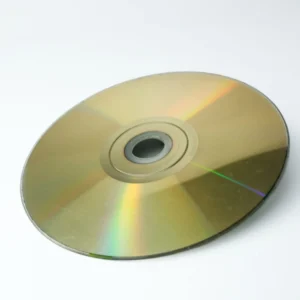
Optical discs—such as LaserDiscs, CDs (Compact Discs), DVDs (Digital Versatile Discs), and Blu-rays—are marvels of modern science and engineering. The latest optical technology allows for Blu-ray discs with a capacity of up to 128 GB; yet, even this technology is now over a decade old. With the rise of online digital content, the use of optical discs has been on the decline. Although they haven’t disappeared entirely—new discs are still being manufactured and sold—their time is running out. One of the most significant milestones signaling the end of disc-based formats occurred when PlayStation announced it would stop offering games in physical format.
If you own a collection of movies, games, or music on disc, it is highly likely that many of these copies are already decades old. For instance, I personally own PlayStation games manufactured in the late 1990s, and my parents still keep music CDs dating from the late 1980s onwards. They all retain their original appearance and function almost exactly as they did when they were new; if handled properly, there is no reason to believe that these discs will stop working within our lifetime.
However, if you want your collection of optical discs to last a lifetime, you cannot be careless in how you use and handle them. Ensuring that your discs—which will soon be irreplaceable—last as long as possible is not difficult, but you must understand the basics regarding DVDs, CDs, BDs, and even LDs.
Store your discs the right way
With the simple passage of time, everything eventually deteriorates; however, it is clear that a banana and a glass marble do not have the same lifespan. Just because something might eventually turn to dust does not mean you should accelerate that process; in fact, the most important factor for the longevity of optical discs is, by far, how you store them.
The ideal environment for storing discs is cool, dry, and stable. “Cool” means room temperature and free from excessive humidity; for instance, you should avoid conditions that promote the growth of mold. It is also important to avoid sudden temperature changes. Repeated heating and cooling of a material can lead to stress fractures and the delamination of its layers, as thermal fluctuations exert mechanical force on the disc.
Avoid storing discs in an uninsulated attic or a damp, dark basement. Keep them away from windows where they might be exposed to direct sunlight, which would cause them to heat up repeatedly on a daily basis. The best practice is to store them upright in their original cases, which also protects them from dust and other external elements. If you stack the cases on top of one another, those at the bottom may end up bearing too much weight and could break. Disc binders are an acceptable option for storing large quantities, but be wary of low-quality versions, as they could scratch or damage the discs by subjecting them to pressure. It is better to choose binders that feature removable sleeves lined with a soft material, such as microfiber.
Handle Your Discs Correctly (Or You’ll Regret It)
If you don’t handle your optical discs with care, you can damage them in a very short time; yet, with just a little bit of attention, they could remain functional for decades. To understand why, it is helpful to briefly review how CDs, DVDs, and other types of discs work. A disc is, in essence, a structure composed of several layers of different materials. Information is stored via tiny indentations and flat areas—known as “pits” and “lands”—physically etched into a layer of polycarbonate plastic. This layer is backed by a reflective metallic surface, followed by a layer for the label, and finally, a protective varnish coating.
As the disc spins, a laser detects the transitions between these pits and lands, converting the information into binary code. If the laser cannot pass through the data layer, reach the reflective surface, and read the resulting signal, it will be unable to access the information. Consequently, scratches on the data side—as well as fingerprints, dust, or dirt—can interfere with the reading process. Similarly, a scratch on the label side that is deep enough to damage the reflective metallic layer will also render the disc unreadable.
Therefore, always handle discs by their edges. Place your ring finger in the center hole and your thumb on the outer edge; this allows you to insert or remove the disc without ever touching the side where the data is stored. Never leave a disc anywhere other than in its disc drive, its case, or a protective sleeve. Also, be aware that placing a disc label-side down is risky! A scratch in that area can render the disc completely unusable.
Clean them promptly and correctly
No one is perfect; therefore, if you have soiled a disc due to improper storage or handling, all is not lost. The key is to clean the disc as soon as possible, using a method that will not cause damage. Fortunately, we have had decades to learn how to do this, and organizations such as the Council on Library and Information Resources provide official guidelines for the maintenance and preservation of optical media.
The first step is to use air to remove any dust or solid particles. Ideally, use a blower, such as those designed for cleaning camera sensors. If you do not remove solid debris with air first, you risk scratching the disc by rubbing dust or grit particles against its surface. Next, try cleaning the disc with a soft, lint-free cotton cloth. Cloths designed for cleaning camera lenses or eyeglasses are also suitable.
If the disc remains dirty after this step, you can attempt a wet cleaning. Use a small amount of clean water—preferably distilled or demineralized—to avoid leaving any residue. Ideally, use a specialized disc-cleaning solution. For greasy smudges, you can use a small amount of isopropyl alcohol, as it does not damage the polycarbonate and evaporates quickly. However, never apply it to the label side of the disc. When cleaning, wipe from the center of the disc toward the outer edge; never wipe in a circular motion.
Never place stickers or labels on a disc.
This applies primarily to blank discs that you record yourself (a topic we will explore in more detail later), but under no circumstances should you attach a label to any disc. There are several reasons for this—some obvious, others less so.
Discs spin at speeds ranging from hundreds to thousands of revolutions per minute, depending on the type of disc and the required data-reading speed. Anything that disrupts the balance of the disc can cause dangerous wobbling, which could lead the disc to shatter, potentially damaging the drive (whether a reader or a recorder). While a label covering the entire surface might not pose an immediate problem, it can shrink and peel off over time, creating that very imbalance.
Furthermore, the adhesive could react with the protective coating (varnish) on the label side, which might unpredictably affect the disc’s lifespan. If you need to identify a disc, use a permanent marker; avoid hard-tipped pens or any object that could scratch or mark the surface. If you are looking for a safe way to label your discs, consider getting a drive that supports LightScribe technology. By using special LightScribe-compatible blank discs, you can etch designs onto the top surface of the disc using the drive’s own laser. It’s an excellent feature!
Extract the content from your discs to preserve them (provided it is legal)
Although optical discs are quite durable when handled and stored correctly, there is always a risk of damage each time they are used. Unexpected issues can arise; therefore—somewhat counterintuitively—one way to preserve your discs is to minimize how often you use them. For some titles—such as a movie you might watch only once a year—this is not an issue. However, there are series that we revisit frequently (like “King of the Hill” or “Friends”), meaning their discs are in constant use. If you have ever come across such collections on the second-hand market, it is clear that they have seen a great deal of wear.
One option is to use software like HandBrake or MakeMKV to create digital copies of your discs. You can then set up your own personal streaming service using applications like Plex or Jellyfin. Furthermore, you retain control over quality: if you have sufficient storage space, you do not have to accept the limitations that commercial streaming services impose to conserve bandwidth.
The process itself is straightforward; the complexity lies in the legal gray area surrounding the creation of copies of discs you have purchased legally. Organizations such as the RIAA have indicated that it is generally acceptable—for instance—to extract the content from your music CDs so you can listen to them on an MP3 player. Nevertheless, in many parts of the world, while making backup copies of your own discs may be legal, circumventing any copy-protection systems they might contain is not.
Check your discs periodically
I have some of the best science fiction films ever made in my DVD and Blu-ray collection; they look great on the shelves, but how can I tell if the various editions of “RoboCop” that I own still work properly?
If you store discs for the long term, you should check them from time to time to ensure they still play correctly. Even if there appear to be no issues at first glance, playback errors could still arise. Sometimes the problem may lie with the player itself—something that is easy to verify by testing the disc on another device to see if the issue persists.
If you have discs in your collection that you haven’t watched yet, make them a priority. Manufacturing errors can occur, and there is usually a limited window for returning or exchanging defective discs. In some cases, a defect may affect an entire production run, in which case the manufacturer might offer a replacement program. However, these programs do not last forever; therefore, make sure to watch every disc you wish to keep in your collection at least once, and re-check them every few years.
Avoid polishing discs if possible
If you ever rented DVDs or Blu-rays from a video rental store (remember those?), you may have seen a disc-polishing machine. These restoration devices remove scratches from the data side of a disc by stripping away a thin layer of the disc’s own material.
Each time you place a disc into the machine, it removes layers of polycarbonate a few microns thick. CDs and DVDs can withstand more polishing cycles than Blu-rays; however, Blu-rays are inherently more resistant to scratches.
Disc polishing should be reserved as a last resort for a scratched disc that no longer functions properly. The risk of something going wrong is higher with older discs, such as games for retro consoles from decades past. These can be quite valuable, and there is always a danger that the polishing process could irreversibly destroy the disc—especially if repeated multiple times in an attempt to remove a deep scratch. While surface restoration has its uses and can save discs that are severely damaged, you should exercise great caution if the disc still works and is not easily replaced.
Examine your discs for signs of deterioration
The lifespan of your discs depends on several factors. You may have heard of the dreaded “disc rot”—you take a disc off the shelf that has been stored away for a long time, only to discover that it has undergone a degradation process that is still actively progressing.
Although the term “rot” is used as a catch-all for these forms of degradation, there are actually different types with distinct causes. In the case of CDs, deterioration typically involves the oxidation of the metallic layer, which destroys its reflectivity and makes the data unreadable. This oxidation can only occur if the metallic layer comes into contact with air; this may happen due to physical damage, but it can also be the result of manufacturing defects.
In DVDs, deterioration often manifests as delamination: the layers of the disc begin to separate slightly—just enough to interfere with the reading process. Unlike the whitish or cloudy appearance seen in CD deterioration, on a DVD it may look like a stain, similar to a coffee stain. Then there is the original “laser rot,” which affects the earliest optical video format: the LaserDisc. Early discs of this type are notorious for their tendency to oxidize, a problem caused by the use of poor-quality adhesives. This issue was particularly severe in double-sided discs, a very common format for LaserDiscs. And what about Blu-rays? There is no definitive conclusion yet, as it is a relatively recent format, but to date, no significant cases have been reported. If a disc shows signs of this type of deterioration, it should be considered lost; replace it as soon as possible.
Keep your player in good condition to avoid damaging your discs
One of the reasons optical discs last so long is that they do not undergo significant wear and tear during playback. Unlike a poorly maintained turntable—where the physical contact between the stylus and the record can ruin vinyl—optical disc players generally don’t cause such damage. That said, a faulty player or one that hasn’t been properly maintained can still damage your discs. For instance, one of the many issues with the Xbox 360 was a design flaw in its disc drive that could severely scratch discs.
A disc doesn’t just float in a vacuum; it spins on a spindle driven by a motor, meaning it is subject to physical forces. I have even seen discs shatter inside PC drives when spinning at excessive speeds—though this is highly unlikely in a home media player, and would typically only happen if the disc was already damaged. Furthermore, if the disc tray is dirty, or if there are burrs or other debris large enough to come into contact with the disc while it spins, you could run into trouble.
Slot-loading drives (like the one in the PS5) use rollers to grip and pull the disc in; if these rollers are worn or dirty, there is a risk that the disc could get scratched. Personally, before using a player I’m unfamiliar with, I would test it first with a disc I wouldn’t mind losing, and I would always make sure to maintain the device according to the manufacturer’s recommendations.
Pay special attention to discs you have recorded yourself.
Although the care and handling required for industrially manufactured discs and those recorded at home are essentially the same, the two types of optical media function in very different ways. In an industrially manufactured disc, data is represented by tiny depressions and flat areas—known as “pits” and “lands”—physically etched into the polycarbonate. In a user-recorded disc, a high-power laser alters a layer of dye, making it either reflective or non-reflective, which mimics the signal of an industrially manufactured disc.
It is precisely this dye layer that presents a unique situation. If an industrially manufactured disc remains intact, there is no reason to expect it to degrade while in storage—at least not within a timeframe relevant to a human being. However, the actual lifespan of these discs can vary from just a few years to more than 200. It all depends on the specific material used for the dye layer and the quality of the disc’s manufacturing.
There are special “archival-grade” discs with an estimated lifespan measured in centuries; conversely, a generic, low-cost DVD-R might last only a few months. In fact, even with high-quality brands, it is reasonable to expect discs to begin failing after about 10 years. While some discs may certainly last for a very long time, the most prudent approach is to proactively create backups before deterioration becomes a problem.